
GitGlance
A menu bar dashboard for every git repo on your Mac.
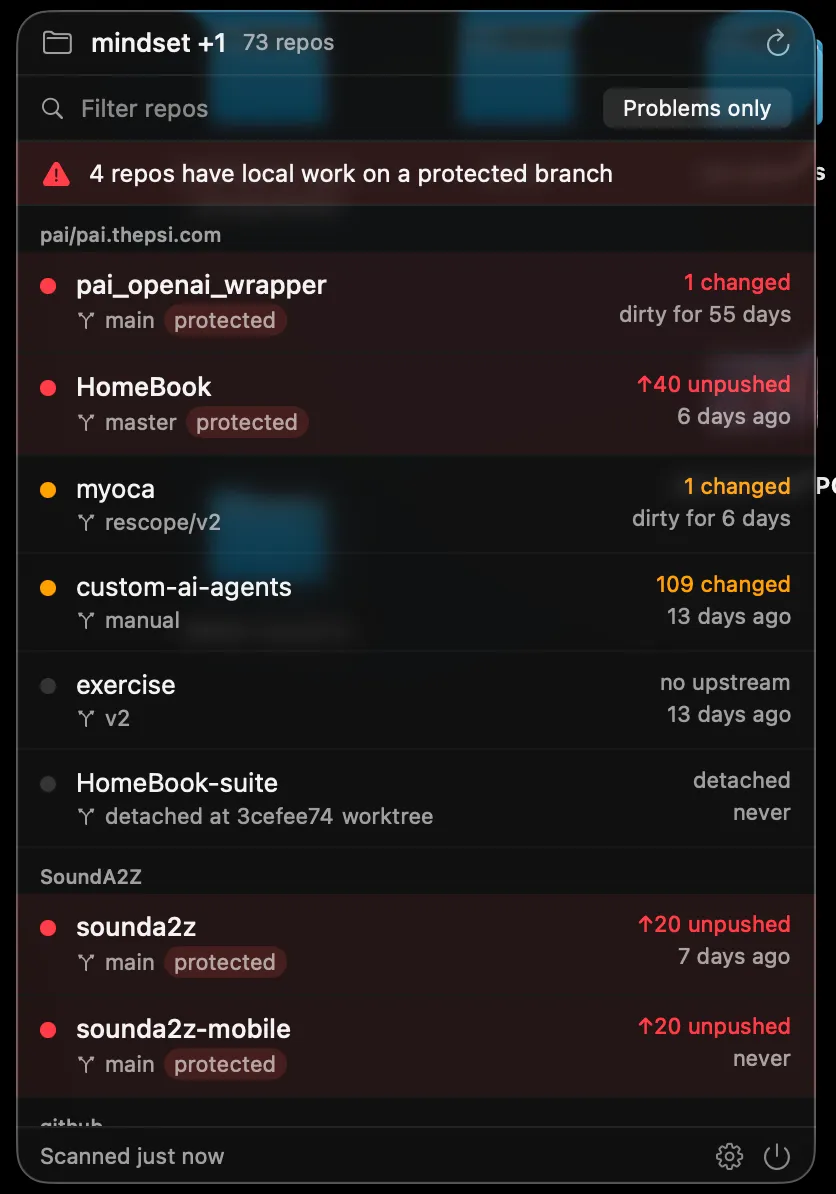
Not a git client, a guardrail. Which repos have work sitting on a branch it should never have landed on.
Why this exists
I keep about sixty checkouts on this machine. The failure was never forgetting what I was working on, it was opening an editor, starting a feature, and only noticing an hour later that I never left main. By then the commits are in the wrong place and the afternoon belongs to git cherry-pick.
Every tool I found was a git client: excellent at one repo, silent about the other fifty nine. I wanted the opposite: something that says nothing until one of them needs me, and is impossible to miss when one does.
What it actually catches
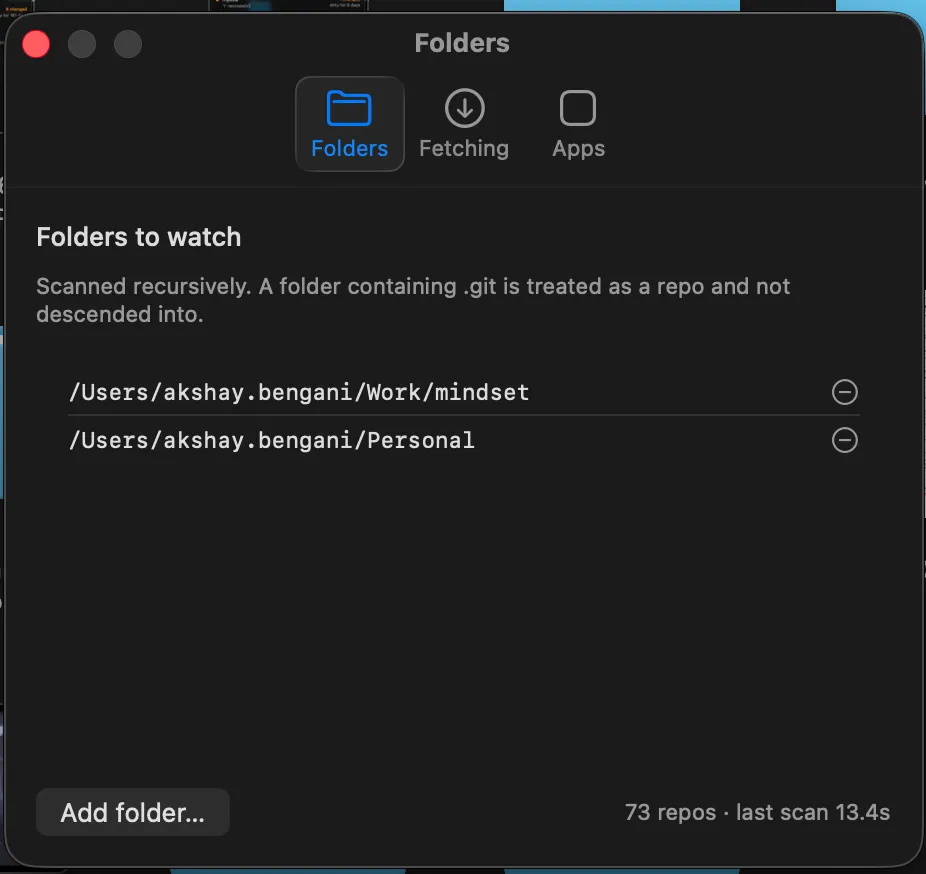
Seventy three repos scanned on this machine right now, four flagged with local work on a protected branch, fifty five confirmed clean and in sync. Point it at a folder once, a folder containing .git is treated as a repo and not descended into, and every repo under it gets watched from then on.
Screenshots
Interested in the rest?
The full history, the architecture decisions, and the code behind this are available on request.